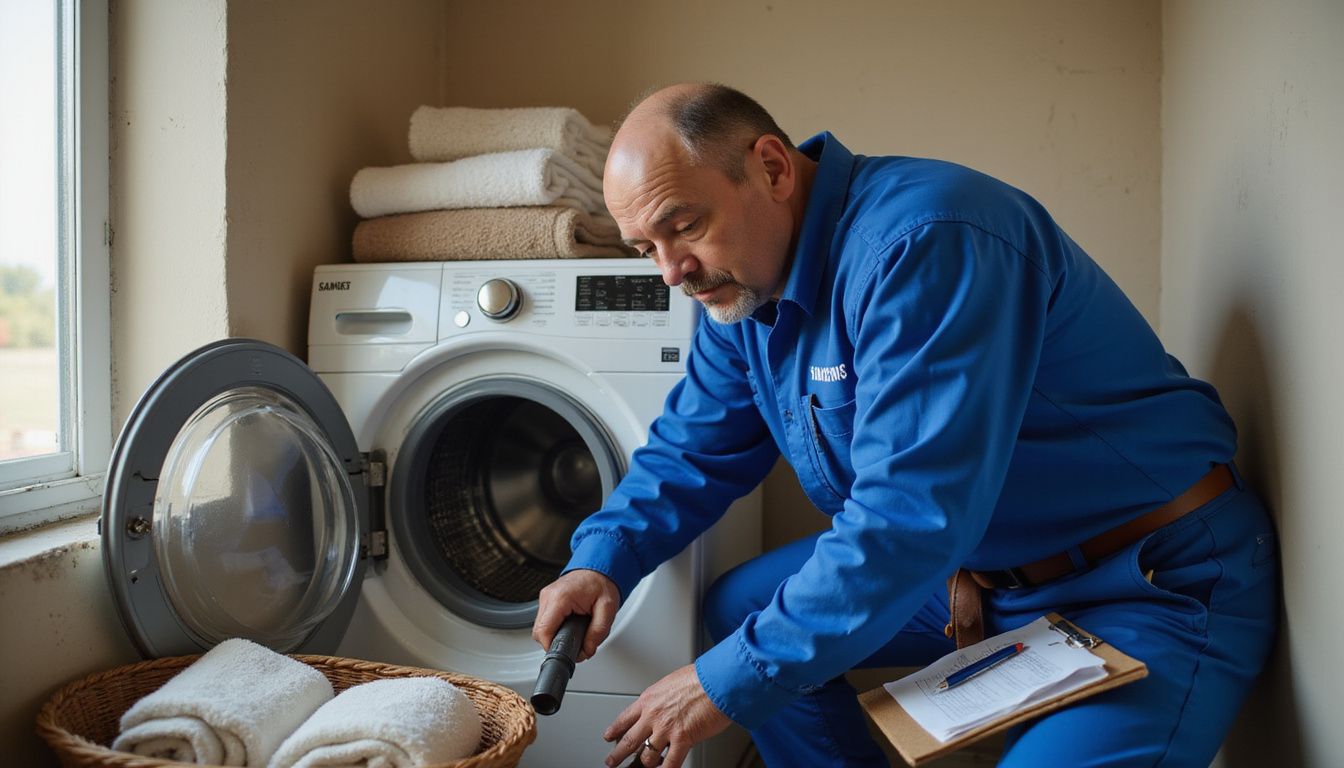
You know how a dryer can still power on, spin, and sound almost normal, yet leave every load cold and damp? That is exactly why Samsung dryer repair goes faster when you separate airflow problems, power problems, and worn parts right from the start.
In my 25 years repairing home appliances in Staten Island, the most expensive mistake I see is replacing parts before checking the vent, breaker, and error code.
As of April 2026, Samsung says its U.S. care network includes more than 8,000 certified technicians and 2,400 service center locations, and authorized service includes a 90-day repair warranty on workmanship and parts. This guide shows you what to test first, what you can handle safely on your own, and when it makes more sense to book service.
Key Takeaways
- Most Samsung dryer failures trace back to restricted airflow, a tripped breaker leg, a blown thermal fuse, or worn moving parts such as rollers, belts, and idler pulleys.
- Samsung states that an electric dryer can still tumble but not heat if only one side of the breaker trips, so power checks come before part replacement.
- Official Samsung support includes in-home repair, authorized service centers, repair-status tracking, and a 90-day repair warranty after completed service.
- Recent U.S. cost guides put most dryer repairs around $100 to $300, while heating element jobs often land around $150 to $350, which helps you judge repair versus replacement.
- For Staten Island service, you can call Appliance Repair Staten Island at 646-204-3526. If Samsung routes your case to Total Tech Solution or its affiliated East Coast network, use 201-672-9501 to confirm the appointment path.
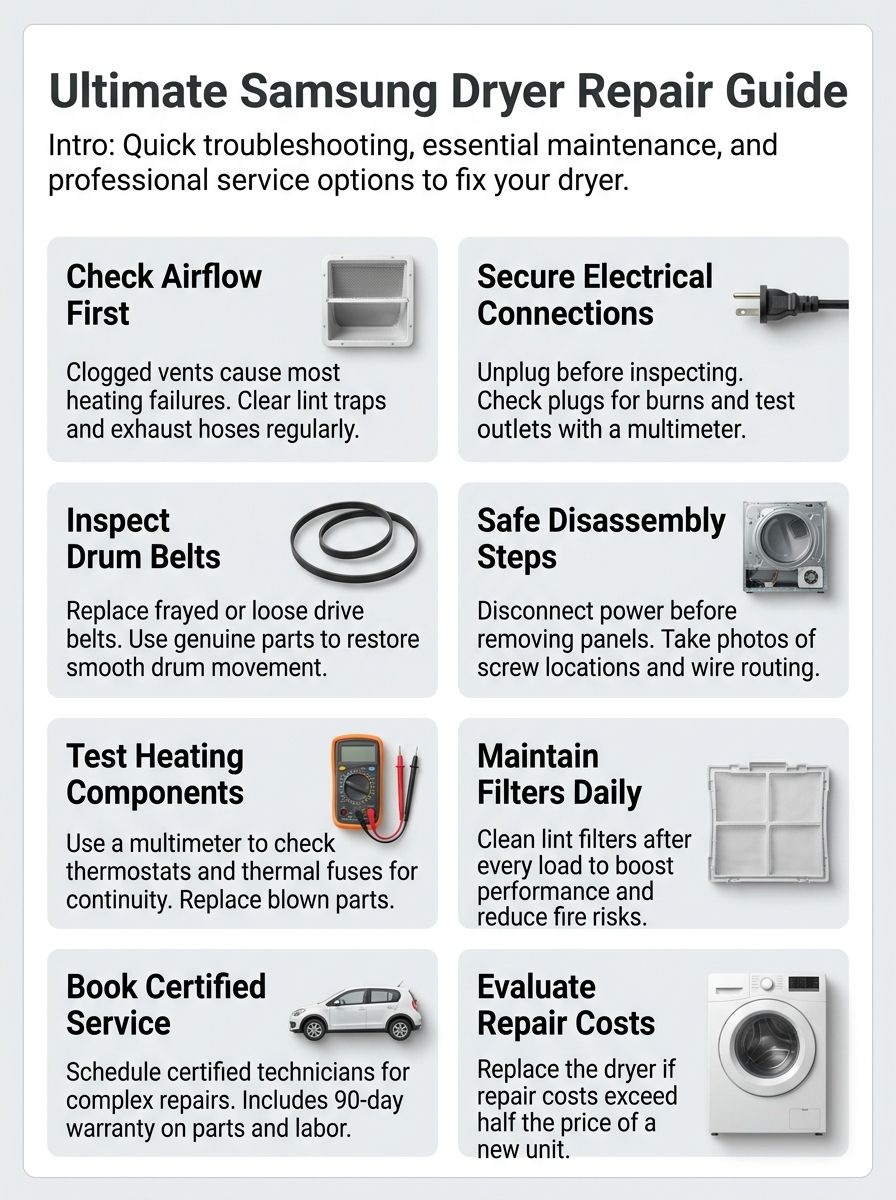
Common Samsung Dryer Repair Issues
Common Samsung dryer issues include poor heating, failure to start or spin, loud noises, and mid-cycle shutdowns. The fastest way to troubleshoot them is to group symptoms into four buckets: airflow, electrical supply, drum movement, and control or sensor faults.
If you want a visual walkthrough before opening the cabinet, watch this Samsung dryer troubleshooting video.
Why is my Samsung dryer not heating properly?
No-heat problems usually start with airflow or power, not the heating element. Samsung’s current troubleshooting guide notes that an electric dryer may turn on and tumble even when one side of the 240-volt circuit has tripped, which is why resetting the double breaker is a first move, not an afterthought.
Start with the clogged vent warning signs and the exhaust vent path. Poor airflow traps heat, stretches dry times, and can blow the thermal fuse.
- Reset the dryer breaker fully, then test for a normal heated cycle.
- Clean the lint screen and inspect the full vent path, from the dryer outlet to the outside hood.
- Run Samsung’s vent blockage test if your model supports it. Codes like C80 and C90 point to major restriction.
- Test the thermal fuse and heating element with a multimeter after power is disconnected.
- On gas models, inspect the igniter and confirm the gas supply is actually on.
If the display shows HC, hE, or another heating code after the vent is clear, move from cleaning to component testing. Also wipe the moisture sensor bars with a soft cloth and a drop of dish soap, because residue from dryer sheets can end a Sensor Dry cycle too early and make a heating problem seem worse than it is.
What should I do if my Samsung dryer won’t spin or start?
A dryer that will not start or spin usually points to one of three areas: door and latch issues, belt and motor issues, or incoming power. If the panel shows dC, dE, or d0, treat that as a door or latch clue before you start pulling panels off.
- Cut power at the breaker, then unplug the dryer before any inspection.
- Confirm the door closes firmly and nothing is trapped in the latch area.
- Check the cord, plug, and outlet for melting, scorch marks, or looseness.
- If the motor hums but the drum does not move, inspect the belt, idler pulley, and blower wheel for a jam or break.
- Write down any error code before resetting power, because that code can shorten the repair visit.
If you spot a loose or broken belt, or if the motor stalls under load, service is usually the right call. A damaged motor can draw high current and trip the breaker again, so this is not a symptom to keep testing over and over.
If you need hands-on help, call a qualified technician once you confirm the fault is beyond a simple power or latch issue.
How can I fix a noisy or squeaking Samsung dryer?
Noise tells you a lot about which part is wearing out. In practice, the sound pattern matters more than the volume.
| Noise | Most likely cause | Best next step |
|---|---|---|
| High-pitched squeal | Idler pulley or dry belt contact | Inspect belt routing and pulley wear before the belt slips or frays |
| Rhythmic thump | Flat-spotted or worn drum rollers | Check and replace worn drum support rollers |
| Rattle or vibration | Loose vent, blower wheel, or cabinet fastener | Tighten the vent run and inspect the blower housing for wobble |
| Metal scraping | Worn glides, seal, or drum support issue | Stop using the dryer until the drum support parts are checked |
Inspect the blower wheel, idler pulley, and roller shafts before you run another full load. A squeak from a wear part is usually manageable, but a continued scrape can damage the drum or cut clothing.
Why does my Samsung dryer shut off mid-cycle?
Mid-cycle shutdown usually means the dryer is protecting itself from overheating. Samsung’s error guide ties several temperature and airflow warnings to clogged vents, blocked lint screens, or abnormal heat inside the cabinet.
If your Samsung dryer stops mid-cycle and the cabinet feels hotter than normal, treat that as an airflow warning first, not a random glitch.
- Inspect the lint filter, vent hose, and exterior hood for restriction.
- Check for temperature-related codes such as tS, tC, HC, or vent-test results that show a clog level.
- Clean the moisture sensors if Sensor Dry cycles stop too early.
- Avoid washing-machine-style overloading. Heavy, unbalanced blankets can shift and trigger vibration or thermal stress.
- If shutdown continues after airflow is restored, test the thermal fuse, cycling thermostat, and high-limit thermostat.
Control board faults are less common than vent or sensor issues, so save that diagnosis for last. If the dryer still cuts off after a clean vent and stable power, that is the point to bring in a certified technician.
Step-by-Step Troubleshooting Guide
This step-by-step troubleshooting guide works best in order. You want to rule out the cheap, common failures first, then move to belts, sensors, and heater parts only after power and airflow are verified.
For a visual reference, use this step-by-step Samsung dryer repair video while you work.
How do I check the power supply and connections on my dryer?
Start here before you buy any parts. A dryer that has lights and drum movement can still have a heating-side power problem.
- Turn the double breaker off for 30 seconds, then switch it back on fully.
- Unplug the dryer and inspect the cord, plug, and outlet for melted plastic, dark marks, or loose blades.
- Check that the terminal block connections inside the rear access cover are tight and not heat-damaged.
- Use a meter rated for appliance work to confirm the outlet is delivering the correct supply for your model.
- If the outlet or cord shows heat damage, stop there and call an electrician before running another test.
- If the breaker trips again under load, suspect a shorted heating circuit, terminal issue, or house wiring problem.
That sequence saves time because Samsung’s support pages call out abnormal voltage as a direct cause of no-heat complaints and 9C1-style errors.
How can I inspect and replace the dryer belt?
A broken belt explains a drum that will not turn even when the motor is trying to run. It is also one of the more approachable mechanical repairs for a careful homeowner.
- Disconnect power, pull the dryer forward, and remove the top and front panels according to your model.
- Inspect the belt for fraying, glazing, cracks, and sections that have gone smooth or shiny.
- Check the idler pulley at the same time. A bad pulley will ruin a new belt fast.
- Route the new belt exactly like the old one, with the ribbed side sitting against the drum.
- Rotate the drum by hand before reassembly to make sure the belt tracks cleanly and the pulley keeps tension.
- Run a short test cycle and listen for squeal, slip, or rubbing before pushing the dryer back in place.
Recent U.S. cost guides put belt replacement in the lower repair tier, which is why this is often worth fixing on a machine that still heats well and has a solid drum.
What is the best way to clean the lint filter and vents?
Clean the lint filter every load. The vent system needs its own routine, because that is where the hidden restriction usually sits.
- Remove the lint filter and clear loose lint after every cycle.
- Wash the filter screen occasionally if fabric softener residue has made it slick. Airflow drops when the mesh is coated.
- Vacuum the filter housing and the area just below it, where lint often packs tightly.
- Disconnect the hose and clear the dryer vent with a vent brush or vacuum attachment.
- Inspect the outside hood to make sure the flap opens freely and is not packed with lint or a nest.
- For long duct runs, multiple elbows, or repeat blockage warnings, book a professional vent cleaning instead of relying on surface cleaning alone.
The U.S. Consumer Product Safety Commission advises cleaning the lint screen, vent, and exhaust duct periodically to help prevent dryer fires. In real homes, that means the vent run deserves more attention than the lint screen alone.
How do I diagnose heating element problems in my dryer?
Use the symptom first, then test the part. That keeps you from replacing a heater when the real problem is a fuse, vent restriction, or missing power leg.
| Symptom | Most likely cause | What to do next |
|---|---|---|
| Dryer tumbles but has no heat | Tripped breaker leg, blown thermal fuse, failed heater | Reset breaker, then test fuse and element for continuity |
| Dryer gets too hot, then errors out | Blocked vent, high-limit thermostat trip, poor airflow | Clean vent first, then test thermostats if the problem returns |
| Drying starts, then clothes stay damp | Moisture sensor residue or partial vent blockage | Clean sensor bars and run the vent blockage test |
| Gas dryer runs cold | Igniter or gas-valve issue | Check igniter operation and gas supply before replacing parts |
If your model supports Smart Install, run that before disassembly. Samsung says the dryer test ends with OT when the machine checks out, and HC or HC1 when vent restriction is detected.
Repairing a Samsung Dryer
Once you have narrowed the problem down, the repair itself becomes much easier. Safe disassembly, labeled screws, and clear photos will save you more frustration than any special tool.
Use this Samsung dryer disassembly video as a model-specific companion if your cabinet layout is unfamiliar.
How do I safely disassemble my Samsung dryer for repairs?
Large appliances are unforgiving if you rush them. Slow down, kill power, and create a clean work area before you touch the first screw.
- Turn off the breaker and unplug the dryer.
- Pull the unit away from the wall and disconnect the vent so you can work without crushing the duct.
- Take photos of every wire connection and screw location as you go.
- Remove the top panel first on most Samsung dryers, then the front panel, and support the drum as needed.
- Keep screws grouped by panel in small cups or labeled bags.
- Vacuum lint from the cabinet while it is open, especially around the motor, heater housing, and blower area.
Samsung manuals vary by model, so use the exact model number before ordering parts or pulling deeper assemblies apart. That one step prevents a lot of broken clips and wrong-part returns.
How can I check and replace faulty components like thermostats and sensors?
Thermostats, thermal fuses, moisture sensors, and heating elements are the parts that solve most no-heat or poor-dry complaints. The key is matching the symptom to the part instead of swapping everything at once.
| Component | Typical symptom | Homeowner check | Call a technician when |
|---|---|---|---|
| Thermal fuse | No heat, sometimes no run condition | Test for continuity after disconnecting power | The new fuse blows again, which usually means a deeper airflow or control issue |
| Cycling or high-limit thermostat | Overheating, short cycling, weak heat | Continuity test and visual inspection for heat damage | The dryer still overheats after vent cleaning and thermostat replacement |
| Moisture sensor bars | Clothes stay damp on Sensor Dry | Clean with a soft cloth and a small amount of dish soap | The sensor reading remains erratic after cleaning |
| Heating element | Tumbles with no heat | Check for continuity and visible coil damage | You find a short to ground, scorched wiring, or repeated heater failure |
Use model-matched OEM parts whenever possible. From what I have seen in service calls, generic heater kits can work, but fit and lifespan are less predictable, especially on dryers that already had airflow problems.
Comparing Samsung Dryer Repair with Other Brands
Samsung and GE dryers can fail in similar ways, belts, rollers, heaters, fuses, and door switches all show up on both brands. The difference is usually in the diagnostic path, the connected features, and the support system around the repair.
What are the key differences between Samsung and GE dryer repairs?
Here is the practical comparison homeowners usually need before approving a repair.
| Category | Samsung Dryer Repair | GE Dryer Repair | Why it matters |
|---|---|---|---|
| Standard warranty | Most Samsung appliances start with a 1-year manufacturer warranty on parts and labor | Many GE dryers also list a limited 1-year parts-and-labor warranty | For a newer machine, warranty status should be checked before you approve any paid repair |
| Built-in diagnostics | Error codes, vent blockage test, and Smart Install on supported models | Traditional troubleshooting plus SmartHQ support on connected models | Samsung often gives homeowners more direct fault clues before the cabinet is opened |
| Connected support | Some models work with SmartThings and Home Care alerts | Connected models can send status alerts through SmartHQ | If you own a smart model, app alerts can speed up diagnosis and service booking |
| Service network | Samsung publishes more than 8,000 certified technicians and 2,400 service centers with broad U.S. coverage | GE emphasizes online scheduling and a national service line, but does not publish the same kind of network count on its support page | If you live outside a major metro area, published network size can influence wait times |
| After-repair protection | Samsung publishes a 90-day warranty on completed service work and parts used in that repair | GE genuine replacement parts are backed by a 1-year limited warranty | Always ask how labor is covered, not just the part itself |
If your choice is between repairing a Samsung or replacing it with another major brand, the real decision is not brand loyalty. It is whether your current machine needs a simple wear-part fix or a high-cost repair involving the motor, drum, or control board.
Samsung Dryer Maintenance Tips
Maintenance is what keeps a dryer from turning into a repeat service call. A clean vent, a clean sensor, and a properly loaded drum will prevent more problems than most replacement parts.
How do I clean and maintain the drum and vent systems?
Use this routine if you want fewer no-heat complaints, shorter cycles, and less wear on the heater and motor.
- Clean the lint filter after every load, and wash it occasionally if residue blocks airflow through the mesh.
- Vacuum the filter housing and the area around the door opening once a month.
- Wipe the moisture sensor bars every few months with a soft cloth and a small drop of dish soap.
- Inspect the vent hose and outside hood at least monthly for kinks, lint buildup, or a flap that does not open fully.
- Clean the full vent run once or twice a year, sooner if you dry heavy laundry often or your duct has several bends.
- Wipe the drum and door seal with a soft cloth after spills, detergent residue, or signs of transfer from dryer sheets.
Samsung’s current load-size guidance also matters here: keep the dryer between roughly one-third and three-fourths full, and use at least three to five items on Sensor Dry cycles so the sensors can read the load correctly.
What regular upkeep helps prevent common dryer issues?
Good upkeep is simple, but it has to be consistent. Most repeat dryer failures come from neglected airflow, overloaded drums, or wear parts left in service too long.
- Keep the drum level and the feet adjusted so vibration does not chew through rollers and bearings.
- Do not shove bulky comforters in tightly. Restricted tumbling raises dry times and stresses the motor.
- Watch for early warning signs: longer cycles, a hot cabinet, new squeaks, thumps, or a burning smell.
- Replace torn lint filters and damaged vent hoses right away, because both let lint move where it should not.
- Inspect belts, rollers, and idler pulleys if the dryer is already open for another repair. That saves labor later.
- Book a yearly professional check if your dryer sees heavy family use or your vent path is long, hidden, or hard to access.
That upkeep matters because airflow problems do more than slow drying. They also overheat heater boxes, shorten fuse life, and make a working dryer feel like a broken one.
Service Options for Samsung Dryers
If DIY checks do not fix the problem, move to service before you keep running the dryer. That is especially true for electrical smells, repeated error codes, gas-heating faults, or mid-cycle overheating.
What in-home repair services are available for Samsung dryers?
Samsung’s repair portal for U.S. homeowners is built around in-home service for major appliances. The repair page highlights Samsung-Certified-Pro visits, genuine parts, and a 90-day repair warranty after the job is completed.
- Sign in with a Samsung account to create and manage the request.
- Enter the model and serial number before you book so the technician arrives with the right parts path.
- Describe the symptom clearly, for example no heat, shuts off mid-cycle, squeals, or shows HC.
- Watch for appointment confirmation and keep the service request number.
- If your appliance is smart-enabled, some models can surface alerts through Samsung Home Care before the visit.
Samsung’s service flow also notes that a certified technician may call within two business days to confirm the appointment window. That matters if you need someone home or want to stage laundry access ahead of time.
How do mail-in repair services for Samsung dryers work?
For full-size household dryers, mail-in repair is usually not the practical route. Samsung uses one repair system across several product categories, so you may see walk-in or mail-in language on broad support pages, but large laundry appliances are generally handled through in-home service or an authorized local center.
Your steps are still the same:
- Start the repair request online.
- Enter your model and serial numbers.
- Check warranty status before approving paid service.
- Follow the route Samsung assigns, which is usually in-home care or an authorized service center for a dryer.
If in-home service is not available in your exact area, the system should point you to the nearest authorized option rather than leaving you to guess.
How can I find nearby Samsung service centers?
Use Samsung’s service center locator with your ZIP code or city. In the latest support update, Samsung says its appliance care network covers 99% of the U.S. through more than 8,000 certified technicians and 2,400 service center locations.
- Search the locator by location and product type.
- Check whether your model is still under warranty before you call.
- Ask whether the shop handles dryers in-home, in-shop, or both.
- Confirm written parts and labor coverage before you approve the repair.
If you are in Staten Island and want local help, Appliance Repair Staten Island can be reached at 646-204-3526. The company states it has served the area since 1995 and offers same-day appointments when available.
If Samsung routes your case to a regional authorized provider, Total Tech Solution lists 201-672-9501 as its support number.
Out-of-Warranty Repairs and Costs
Out-of-warranty Samsung dryer repair service makes the most sense when the machine has a clear, limited fault. Once the job moves into motor, drum, or control board territory, the math changes fast.
What are typical repair costs for Samsung dryers out of warranty?
Recent U.S. cost guides make this part easier to judge. HomeGuide’s current dryer repair data puts average repair bills around $100 to $300, with heating-element repairs often in the $150 to $350 range.
| Repair Item | Typical Cost Range | What it usually means for you |
|---|---|---|
| Average dryer repair | $100 to $300 | Good range for common fixes such as belts, fuses, rollers, switches, and basic labor |
| Heating element repair | $150 to $350 | Often worth fixing if the dryer is otherwise in solid shape |
| Minimum service fee | $70 to $130 | Ask if this is credited toward the final repair |
| Labor | $50 to $125 per hour | Cabinet-heavy jobs rise quickly because access takes time |
| Thermal fuse repair | $75 to $150 | Usually a good repair, but always pair it with vent cleaning |
| Motor repair | $150 to $400 | This is where replacement starts to become a serious option |
| Control board repair | $250 to $500 | Get a firm estimate before approving the job |
| New dryer reference point | $800 to $1,200 for many units | If repair approaches half the cost of replacement, stop and compare carefully |
A practical rule is this: repair a younger dryer with one clear fault, replace an older dryer with expensive control, motor, or repeated heat failures. If your dryer is already near the 8 to 13 year average lifespan range, a high estimate deserves a second opinion.
What benefits does Samsung Care Plus offer for repair protection?
Samsung Care+ is mainly useful if you want protection after the manufacturer warranty ends. Samsung says current plans for eligible home appliances cover mechanical and electrical failure after the standard warranty period, plus power-surge damage in qualifying situations.
- Covered functional parts and labor are included at no added cost.
- If the product cannot be repaired, the plan provides repair-or-replacement protection.
- Samsung also states that if the same issue returns within 30 days of the original covered service, that repeat service is covered.
- You can cancel the plan later if it no longer makes sense for your household.
The key benefit is budget control. If your dryer is newer, heavily used, or part of a high-end smart laundry set, post-warranty coverage can protect you from a surprise board or heater bill.
How to Request a Repair
Requesting service goes smoother when you gather the right information before you start. The model number, serial number, purchase date, and exact symptom save time on both scheduling and parts lookup.
How do I schedule a repair service through the Samsung website?
Samsung keeps the process straightforward if you prepare first.
- Sign in to your Samsung account so you can create, manage, and track the repair request.
- Enter the model and serial number exactly as shown on the appliance label.
- Describe the issue clearly, such as no heat, vent blockage code, squeaking, or shuts off mid-cycle.
- Review warranty status before selecting a paid visit.
- Choose the available service option for your area, which is usually in-home service for a dryer.
- Save the confirmation details and keep the laundry area accessible for the technician.
If the online tool stalls or your location does not show service immediately, call Samsung support or contact your local authorized servicer so the request does not sit unfinished.
How can I check the status of my Samsung dryer repair request?
Samsung’s repair-status page is simple, but you need the correct information. The page asks for the service request number and the phone number tied to the appointment, and Samsung notes that service request numbers are 10 digits.
- Check status with the 10-digit request number and your phone number.
- Sign in to your Samsung account if you want the full request history in one place.
- Keep text updates enabled if you want appointment reminders and status changes faster.
- If your job has been assigned to a regional servicer, call that provider directly for arrival-window confirmation.
- Use Total Tech Solution at 201-672-9501 if your case has been routed there and you need a live status check.
That small bit of prep prevents the most common delay I see: homeowners searching old emails for the wrong phone number while the appointment window is already moving.
Last Words
Good Samsung dryer repair starts with the basics: airflow, breaker power, sensor readings, and the small wear parts that fail most often.
Use the troubleshooting steps here to rule out simple fixes, stay safe during self-repair, and move to professional service when the job involves heat, gas, wiring, or repeated shutdowns.
If you want to compare another major brand before booking service, check our GE dryer repair guide.
FAQs
1. Why won’t my Samsung dryer start?
Check the power plug, the circuit breaker, the door latch, and the control settings. Clean the lint filter and run a short cycle to troubleshoot basic issues.
2. How do I fix poor drying or long cycles?
Empty the dryer, avoid overloading, and clean the lint filter and external vent to improve airflow. If drying still takes too long, schedule a Samsung dryer repair or contact an authorized service center.
3. What service options does the repair guide cover?
The guide shows self-help steps, authorized repair centers, and in-home technician visits as service options. It also explains how to book repairs and what to expect at the appointment. Check eligible models and warranty status before you schedule service.
4. When should I call a repair technician?
Call a repair technician if you smell burning, see smoke, hear loud grinding, or if simple troubleshooting does not fix the problem.
Service terms and policy, read before you book:
Service options and fees vary by region and by eligible models; warranty coverage depends on purchase date and the type of fault. Authorized repair centers use factory parts for Samsung dryer repair, while third party shops may use generic parts, which can affect future claims. Claims for damage from misuse, cosmetic wear, or improper venting are not covered under most warranties. For safety and accurate diagnostics, follow the troubleshooting steps in the repair guide, and provide model and serial information when you contact support.
References
- https://www.samsung.com/us/support/troubleshoot/TSG10007168/
- https://www.ifixit.com/Guide/How+to+Troubleshoot+a+Noisy+Samsung+Front+Load+Dryer/207452 (2026-02-11)
- https://www.samsung.com/us/support/troubleshoot/TSG10000730/
- https://www.samsung.com/au/support/home-appliances/locate-and-clean-the-lint-filter-in-your-samsung-dryer/(2025-05-29)
- https://samsungcsp.co.nz/journal/is-your-samsung-dryer-not-heating-heres-what-to-do/ (2025-06-17)
- https://samsungdryerrepair.com/comprehensive-guide-to-samsung-dryer-repair-troubleshooting-and-maintenance/
- https://www.samsung.com/us/support/answer/ANS10001019/
- https://www.samsung.com/us/support/home-appliances/dryers/
- https://www.samsung.com/us/support/service/
- https://www.consumeraffairs.com/homeowners/dryer-repair-cost.html
- https://www.samsung.com/my/shop-faq/samsung-care-plus/what-are-the-benefits-of-samsung-care-plus/
- https://order-help.us.samsung.com/articles/product-support/how-do-i-repair-or-service-my-product/669e3174cd7d5a05a5318434