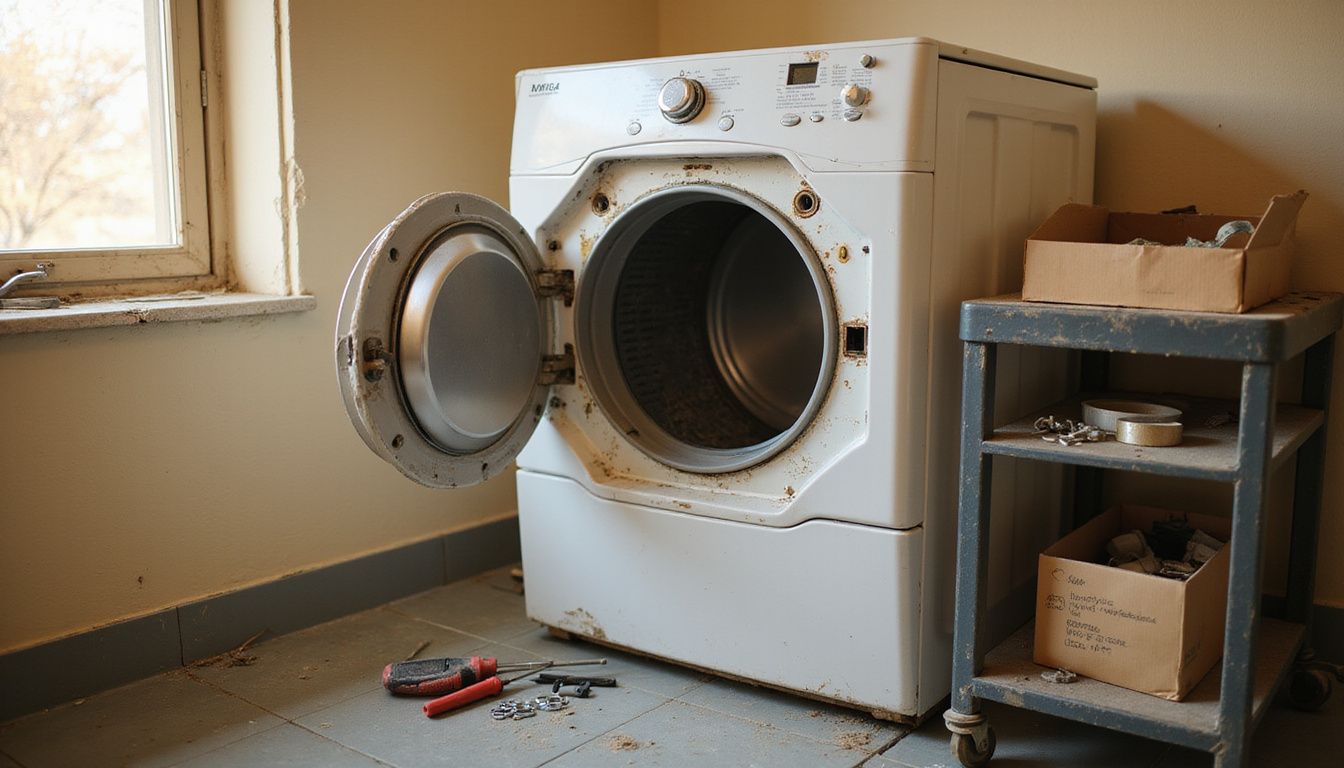
If you are repairing your Maytag dryer, the fastest way to save time is to match the symptom to the right system first. A dryer that will not start, runs with no heat, or takes forever to dry usually points to power, airflow, or a handful of wear parts.
In my 25 years of appliance repair work, I have seen homeowners waste money on the wrong parts far more often than I have seen a dryer fail beyond repair. Many U.S. dryers last about 10 to 13 years on average, and a well-kept Maytag often reaches the 10 to 15 year range with solid maintenance.
This guide breaks down the common Maytag dryer issues, the diagnostics you can do at home, the parts most likely to fail, and the point where calling a technician makes more financial sense than more DIY repair.
Key Takeaways
- Start with the simple checks first: power, door latch, cycle settings, and airflow. On many electric dryers, one tripped breaker can leave the drum turning while the heat stays off.
- Clean the lint screen after every load, and deep-clean the vent every 1 to 2 years, or sooner if dry times suddenly get longer.
- If your Maytag dryer runs but does not heat, focus on the thermal fuse, heating element or burner system, thermostats, and high-limit switch.
- If the dryer squeals, thumps, or grinds, inspect the belt, idler pulley, drum rollers, and drum support parts before the noise turns into a no-spin failure.
- Check your model number before ordering parts. Maytag says the tag is commonly inside the dryer door or on the rim of the opening, and that one step prevents a lot of wrong-part returns.
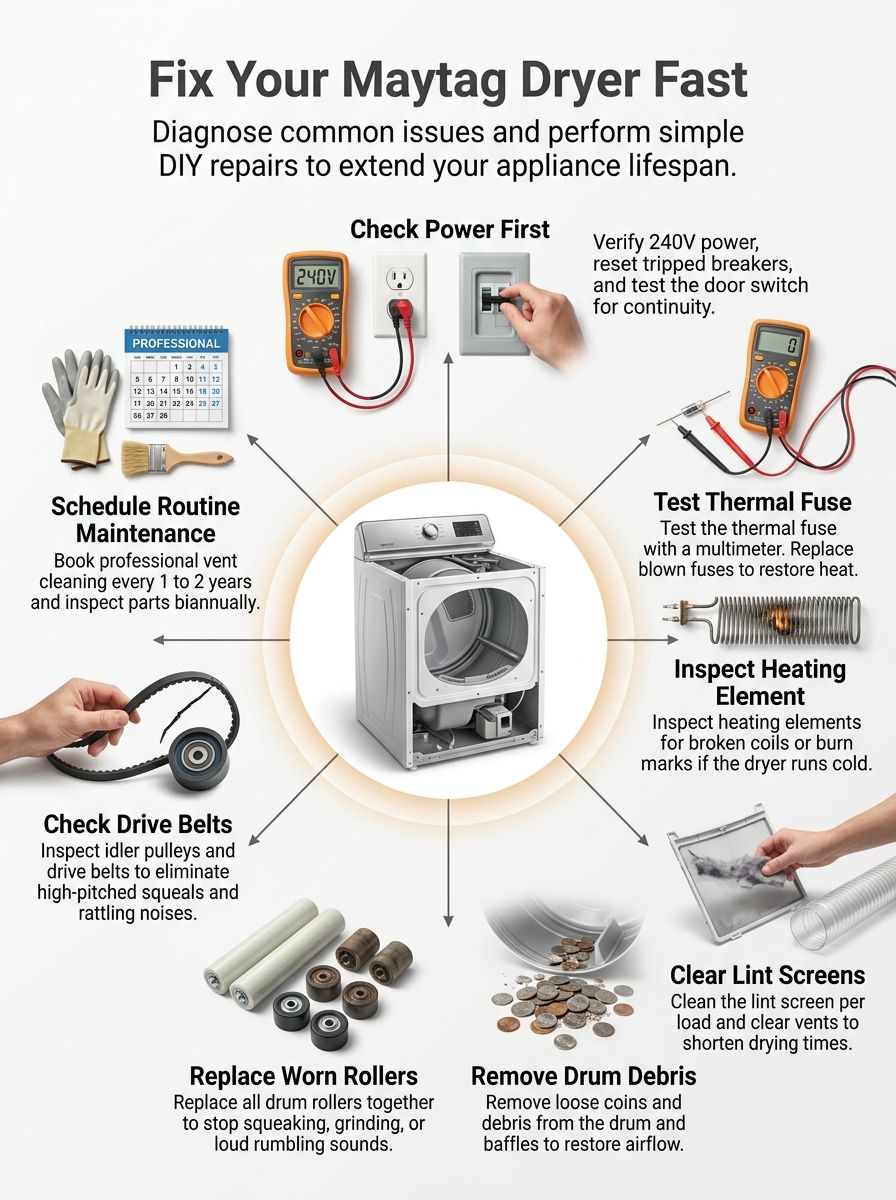
Troubleshooting Common Maytag Dryer Issues
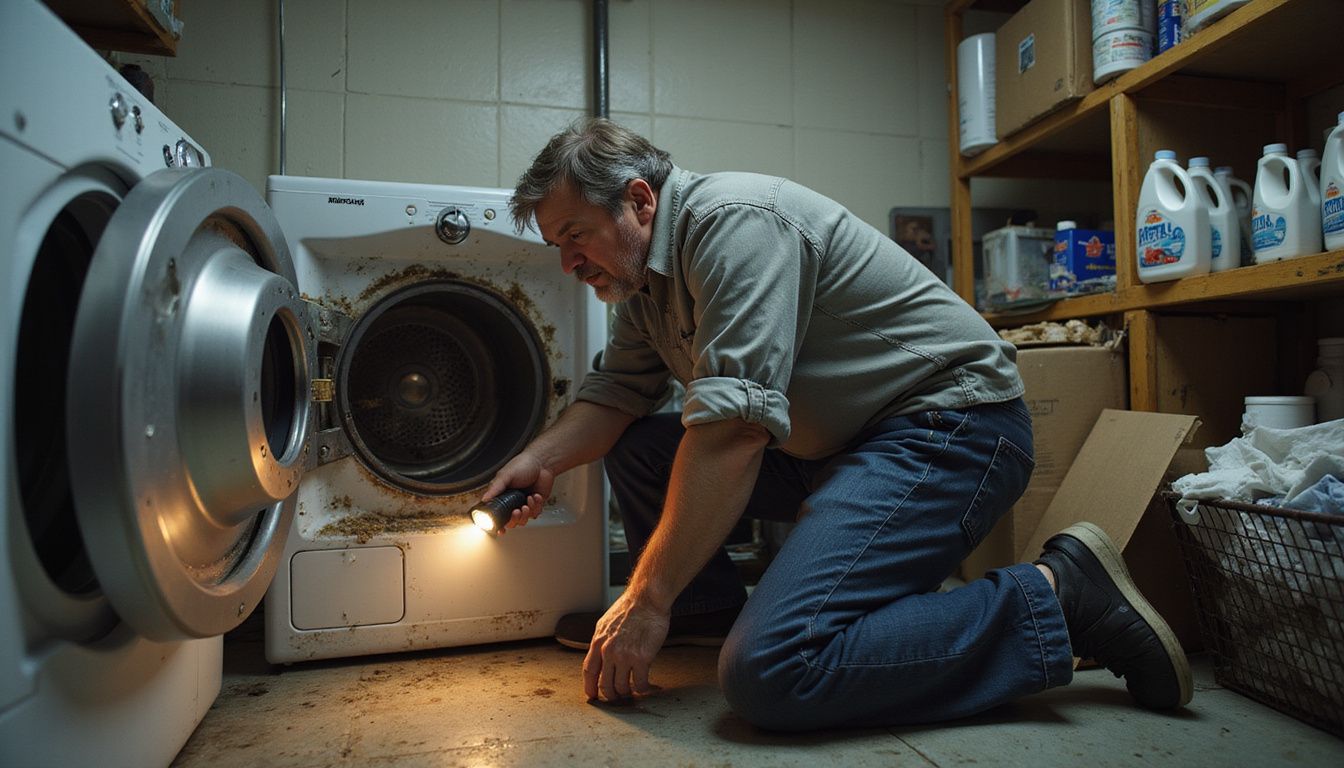
Most Maytag dryer troubleshooting follows a clean pattern: confirm power, confirm airflow, then move to switches, heating parts, and drum support parts. That order matters because the first two checks solve a surprising number of service calls.
The safety side matters too. U.S. Fire Administration data shows failure to clean was the leading factor in home clothes dryer fires from 2018 through 2020, responsible for 31% of ignitions. That is why I treat lint and vent checks as a repair step, not just maintenance.
If you want a visual walkthrough before you open the cabinet, this diagnostic video is a useful starting point.
Why won’t my Maytag dryer turn on?
A Maytag dryer that will not turn on usually has a power interruption, a door-related problem, or a failed switch. Start there before you suspect the motor or control board.
- Check the simple controls first. Maytag notes that some digital start buttons will not respond well to a wet finger or a fingernail. Press the Start button firmly with a dry finger, and make sure Control Lock or Child Lock is off.
- Confirm full power. Electric dryers need a 240 volt supply. Reset both breakers fully off, then back on, and inspect the cord and terminal block for loose connections, heat damage, or burned prongs.
- Push the door closed with intention. A door that looks shut can still miss the switch if the latch is cracked, the strike is loose, or clothing is trapped in the opening.
- Test the door switch and start switch. If either one fails a continuity check, replacement is usually the fix.
- Move to the motor and board last. If the switches test good and power is correct, a failed drive motor or control board issue becomes more likely, and that is usually the point to bring in service.
What should I do if my dryer runs but doesn’t heat?
If the drum turns but the air stays cool, separate electric and gas diagnosis right away. The fix path is different.
Maytag Product Help says electric dryers run on a separate 30-amp circuit fused on both sides of the line. One breaker can trip and leave the motor running while the heating element gets no power, which is why a dryer can tumble and still produce zero heat.
- Run a heated timed cycle with the drum empty for about five minutes.
- For an electric model, reset both breakers and confirm proper voltage before buying any parts.
- For a gas model, verify the shutoff valve is open, meaning the handle sits parallel to the pipe.
- Inspect the lint path and vent run. If airflow is restricted, the dryer may overheat, trip a safety device, or dry so poorly that it feels like a heat failure.
- Check the thermal fuse, heating element or gas burner system, thermostat, and high-limit switch with a multimeter.
A named tool worth knowing is the Maytag Dryer Test Kit, part W11224254. It helps you confirm whether the vent run is still too restricted after routine cleaning, which keeps you from replacing heat parts when the real issue is airflow. If you would rather outsource that step, you can use professional vent cleaning services to test and clear the run.
Why does my dryer take too long to dry clothes?
Long dry times almost always come back to airflow, load size, or clothes entering the dryer too wet. The good news is that this is usually one of the cheaper Maytag dryer issues to solve.
| What you notice | Most likely cause | Best next move |
|---|---|---|
| Clothes are warm but still damp | Restricted vent or dirty lint screen | Clean the full vent path, not just the screen |
| Drying times got worse gradually | Lint buildup or residue on the screen | Wash the screen with hot water, liquid detergent, and a nylon brush |
| Dryer works fine on tiny loads only | Overloading or poor tumbling space | Keep the drum around three-quarters full |
| Loads leave the washer soaking wet | Washer spin issue, not dryer heat loss | Run an extra spin cycle before drying |
Maytag also recommends a heavy, rigid vent hose, 4 inches in diameter, kept as short as possible with no more than four 90 degree bends. If your clogged ducts include crushed foil-style tubing or a long run with several sharp turns, fixing the vent path can cut dry times faster than replacing dryer parts.
What causes my dryer to make loud or unusual noises?
The sound usually tells you where to look. A sharp squeal often points to the idler pulley or belt, a rumble or grind usually points to drum rollers or bearings, and a rhythmic thump can be a flat-spotted roller or an object stuck in a drum baffle.
- Rattle or vibration: Check leveling feet, pedestal drawers, and items resting on the cabinet.
- Front or lower squeal: Suspect the idler pulley that keeps tension on the belt.
- Rear rumble or grinding: Inspect the drum rollers, roller shafts, and rear support parts.
- Regular thump once per turn: Rotate the drum by hand and listen for a baffle obstruction, loose screw, or worn support roller.
- Burning rubber smell with noise: Stop using the dryer and inspect the belt path before the motor gets overloaded.
One pro tip I share often is this: if you already have the dryer open and one roller is clearly bad, replace the whole wear set if the rest look original. That single choice usually saves a second teardown a few weeks later.
Fixing a Maytag Dryer That Won’t Turn On
Before you test any switch or order any parts, find the model number. Maytag says the tag is commonly inside the dryer door, on the rim of the opening, or on the back of the cabinet, and that detail matters because switch layouts vary more than most homeowners expect.
If you want a model-specific visual reference, this step-by-step repair video can help you match the cabinet style before disassembly.
How do I check the power source and circuit breaker?
Start here because electrical supply issues are common, fast to verify, and easy to misread.
- Unplug the dryer and inspect the cord, plug, and terminal block for looseness, heat damage, or burned insulation.
- Confirm the dryer is on a dedicated 240 volt circuit. Electric dryers need both hot legs to operate correctly.
- Reset both breakers by switching them fully off, then back on. A half-tripped breaker can look normal at a glance.
- If you are trained and comfortable using a meter, check for about 240 volts across the two hot legs and about 120 volts from each hot leg to neutral.
- Do not keep resetting a breaker that trips again. That points to a wiring fault, outlet issue, or appliance short that needs electrical service.
- Call a qualified electrician if the outlet voltage is wrong, the receptacle is loose, or the wiring shows signs of overheating.
Maytag’s current guidance is clear on this point: one breaker can run the motor while the heater stays off, so always verify both sides of the electric supply before replacing heat-related parts.
How can I inspect the door switch and start switch?
These two parts are small, but they can shut down the whole appliance. They are also some of the better DIY repairs because they are usually inexpensive and easy to test.
- Open and close the door slowly. If the latch feels loose, misaligned, or cracked, fix that first.
- Inspect the door switch for a broken actuator, loose mounting, or damaged connector.
- Disconnect power, remove the switch leads, and test the door switch for continuity while pressing the actuator.
- Test the start switch the same way. A bad start switch often shows up as a dryer that powers on but never begins tumbling.
- If your dryer has electronic touch controls, make sure Control Lock is off before condemning the switch.
- After replacement, run a short timed cycle to confirm the door stays latched and the motor starts every time.
If both switches test good and the dryer still will not start, the fault often moves to the motor, timer, or control board. That is usually where appliance repair becomes more diagnostic than mechanical.
Solving Heating Problems in Maytag Dryers
When a Maytag dryer loses heat, I like to narrow it into two buckets: no heat because power or components failed, or poor heat because airflow is choking the machine. That simple split keeps the diagnostics clean.
This heating system walkthrough is useful if you want to see the common part locations before testing.
Maytag’s current no-heat guidance groups the most common causes into airflow restriction, lack of power, oversized loads, very wet clothes, failed heating parts, and a blown thermal fuse. That framework is a good one to follow.
How do I test and replace the thermal fuse?
The thermal fuse is a one-time safety device. If it blows, it has done its job, and it must be replaced rather than reset.
- Unplug the dryer and pull it forward so you can access the rear or lower service area safely.
- Use your model diagram to locate the fuse. On many Maytag dryers it sits on the blower housing near the exhaust outlet area.
- Remove the wire leads and mounting screw.
- Set the multimeter to continuity and test the fuse. No continuity means it is blown.
- Install the exact replacement part for your model. A close-looking fuse is not good enough here.
- Before you run the dryer again, clean the lint screen, the vent hose, and the entire vent run to the outside.
If a new thermal fuse blows again, do not keep replacing it. The underlying problem is usually restricted airflow, a heating part fault, or another overheating condition.
When should I inspect and replace the heating element?
Inspect the heating element when the dryer runs with no heat, heats weakly, or heats only on some cycles. On gas models, this same checkpoint applies to the burner and ignition system rather than an electric element.
- Use the exact model number before ordering. Access panels and element housings vary across Maytag designs.
- Test the element for continuity. An open circuit means the element has failed.
- Look for broken coils, burn marks, warped sections, or obvious corrosion.
- If the dryer still has no heat and the element tests good, move to the thermostat, high-limit switch, thermal fuse, and incoming power.
- If the job requires deep cabinet disassembly and you are not comfortable around high-voltage components, schedule service instead of guessing.
Maytag’s guidance treats heating-element work as a professional-level repair once disassembly gets involved, and I agree. This is where correct diagnostics matter more than speed.
How do I check the thermostat and high-limit switch?
These parts regulate temperature and protect the dryer from overheating. A failed thermostat can cause poor heating or overheating, while a failed high-limit switch can cut the heat circuit for safety.
- Disconnect power and open the service panel for your model.
- Locate the cycling thermostat, high-limit switch, and nearby thermal fuse.
- With the dryer cool, test each part for continuity according to the model diagram.
- Replace any part that tests open when it should be closed.
- Clean the vent system before restarting the dryer, because overheating often damages these safety parts for a reason.
- Run a timed heat cycle and monitor whether the dryer now heats normally without getting excessively hot.
If more than one heat-control part has failed, or if the dryer overheats after replacement, it is time for technician-level diagnostics.
Addressing Drying Performance Issues
A dryer can have full heat and still dry badly if airflow is weak. That is why drying performance work should always include the screen, vent hose, exterior hood, and anything inside the drum that can block or trap air.
How can cleaning the lint screen and vent improve airflow?
Better airflow means faster drying, lower heat stress, and less money wasted on long cycles. This is one of the highest-value pieces of dryer maintenance you can do.
- Clean the lint screen after every load.
- If you use dryer sheets or fabric softener, wash the screen with hot water, liquid detergent, and a nylon brush when you see residue buildup. Maytag says to do this every six months, or sooner if drying slows down.
- Pull the dryer forward and remove lint from the vent hose and wall connection.
- Check that the vent hose is rigid or semi-rigid metal, 4 inches wide, and not crushed behind the appliance.
- Inspect the outside hood while the dryer runs. You want a strong, steady exhaust flow.
- Book professional cleaning if the run is long, hidden in walls, or still restricted after your own cleaning.
Maytag says the vent should be cleaned every 1 to 2 years when performance drops, and their general rule is at least every two years. If your loads suddenly need two cycles, do not wait for the calendar.
How do I inspect the dryer drum and baffles for obstructions?
Obstructions inside the drum can hurt airflow, create noise, and even damage clothes. The fix is usually simple if you catch it early.
- Open the door and remove coins, paper, hairpins, and lint clumps from the drum.
- Use a flashlight to inspect the drum seams, corners, and the area around the baffles.
- Rotate the drum by hand one full turn. If you hear a repeating tick or thump, inspect each baffle for trapped items.
- Look for loose baffle screws or cracked plastic pieces that can snag fabrics.
- Wipe the interior clean after removing debris so loose lint does not keep circulating.
- Repeat this check every few months if you dry workwear, pet bedding, or heavy-pocket items often.
In repair work, a hidden coin inside a baffle is a classic time-waster. It sounds serious, but it is often one of the cheapest fixes in the room.
Fixing Noisy Maytag Dryers
Noise is often your warning shot before a spin failure. If you act when the dryer first starts squealing or rumbling, you usually replace a wear part instead of a motor.
When should I check and replace the drum rollers?
Check drum rollers when the dryer rumbles, grinds, or thumps once per revolution. Bad rollers let the drum sag, wobble, or drag.
- Disconnect power and open the cabinet according to your model.
- Remove the drum if needed so you can inspect each roller directly.
- Spin every roller by hand. It should turn smoothly with no wobble, grinding, or flat spot.
- Check the shafts and clips as well, because a good roller on a bad shaft still makes noise.
- Replace all rollers together if one is clearly worn. That is the most reliable long-term repair.
- Run the dryer empty after reassembly and listen before you put a full load back in.
If the noise remains after roller replacement, move to the idler pulley, belt, front glides, and rear support bearing.
How do I inspect and fix the idler pulley or drive belt?
The idler pulley keeps tension on the belt. When it seizes or the belt wears down, you usually hear a sharp squeal, chirp, or rubbery scraping sound.
- Unplug the dryer and open the cabinet.
- Inspect the idler pulley for cracks, wobble, or a rough bearing. It should spin freely by hand.
- Check the drive belt for fraying, glazing, cracking, or shiny worn spots.
- Trace the belt path carefully. On many dryers the belt routing around the drum and tension system is what trips people up during reassembly.
- Replace the pulley and belt together if both parts show age. That is usually smarter than doing one now and reopening the dryer soon after.
- After reassembly, spin the drum by hand before powering up. If it feels unusually stiff, stop and recheck the belt routing.
If you still hear grinding after the belt and pulley look good, the motor or blower wheel may be the source, and that is usually a service call.
When to Consider Professional Repair Services
DIY repair makes sense when the fault is accessible, the diagnosis is clear, and the part cost stays reasonable. Call a professional when you see scorched wiring, smell burning insulation, work on a gas burner circuit, or reach a point where live-voltage testing is the only next step.
Warranty status matters here. Maytag’s dryer warranty lists first-year parts and labor coverage on many models, plus limited longer parts coverage on certain major components. Check that before you pay out of pocket.
How do Maytag and Samsung dryer repairs compare?
Instead of comparing brand reputation in the abstract, compare the repair decision that matters to you: what failed, what is still covered, and whether the repair needs authorized service.
| Topic | Maytag | Samsung |
|---|---|---|
| Standard warranty | Many U.S. dryers include 1 year of parts and labor | Samsung US lists 1 year of parts and labor on most home appliances |
| Longer component coverage | Many Maytag dryer warranties include years 2 through 10 parts coverage for the drive motor and drum side walls, labor not included | Samsung lists a 10 year warranty on the digital inverter motor, while other parts follow the standard warranty |
| Who should do covered work | Authorized Maytag service providers | Authorized Samsung service providers |
| When repair has the best value | If the failed part is a switch, fuse, roller, belt, or a covered motor or drum component | If the failed part is a simple wear item, or a covered inverter motor issue |
| When to slow down and price it carefully | Out-of-warranty control board, motor, or multiple heat-part failures | Out-of-warranty board, heater, or multiple component failures after year one |
As of April 2026, Samsung US is also advertising a free extra year of warranty coverage on eligible appliance purchases made by July 8, 2026. For a repair decision today, that matters only if your unit qualifies. For Maytag owners, the bigger advantage is often the limited long-part coverage on the drive motor and drum.
Cost still decides a lot. Maytag says service appointments commonly range from $200 to $350 depending on warranty status, while 2026 Angi data puts dryer repair costs anywhere from low-cost switch fixes up to several hundred dollars for major failures. If a quote includes a control board, motor, and labor on an older machine, get a second opinion before approving the work.
Tips for Preventative Maintenance
Good dryer maintenance does three things: it protects airflow, reduces fire risk, and stretches the life of the parts you would rather not replace. This is the work that keeps small issues from turning into weekend-killing repairs.
Why is it important to clean the dryer vent regularly?
Regular vent cleaning is one of the few maintenance jobs that improves safety and performance at the same time. You dry faster, the heater runs under less stress, and lint stays out of places it should never collect.
- Clean the lint screen after every load.
- Brush-wash the screen when residue builds up and airflow starts to drop.
- Inspect the outside vent hood often enough to catch bird nests, stuck flaps, or debris.
- Deep-clean the full vent run every 1 to 2 years, or sooner for heavy-use homes, pet owners, or long vent runs.
- Use rigid or semi-rigid metal venting instead of crush-prone plastic or flimsy foil styles.
A named tool that helps here is the Maytag Dryer Test Kit, W11224254. It is helpful when the dryer still feels weak after routine cleaning because it tells you whether the vent path still has too much restriction.
How often should I inspect dryer parts for wear and tear?
Use the dryer the way you actually live, then set the inspection schedule around that. A once-in-a-while guest room dryer and a family laundry machine do not age at the same speed.
| Task | Good baseline | Heavy-use homes |
|---|---|---|
| Clean lint screen | Every load | Every load |
| Wash lint screen to remove residue | About every 6 months | Every 2 to 3 months if you use dryer sheets often |
| Inspect belt, idler pulley, and rollers | Every 6 months | Every 3 months |
| Check vent hood and airflow | Every few months | Monthly |
| Deep-clean full vent run | Every 1 to 2 years | Yearly, or sooner if dry times rise |
If you hear a new squeal, a repeated thump, or a scraping sound, move the inspection up. Parts like drum rollers and belts usually give you a warning before they fail completely.
Last Thoughts
These essential tips for repairing your Maytag dryer come down to a simple order: check power, check airflow, test the safety and starting parts, then move to heat and drum-support components. That approach saves money and keeps you from replacing good parts.
Clean the screen, keep the vent path open, and do not ignore new noises. Call a technician for control board faults, gas-system work, live electrical testing, or any repair that could affect your warranty.
If you want a brand-to-brand reference before booking service, see our guide on Samsung dryer repair.
FAQs
1. Why won’t my Maytag dryer start?
Dryer does not start, check the power first. Unplug it, check the plug and the breaker, and close the door firmly. If it still will not start, call a repair service for Maytag dryer repair.
2. Why is my Maytag dryer not heating?
Clothes stay damp, clean the lint trap and the vent, then run a short cycle to test. If it still does not heat, check the safety fuse and the heating part, and call a qualified repair tech for solutions.
3. What if clothes take too long to dry?
Clean the lint trap and the vent to restore airflow.
4. Why is the dryer noisy or the drum not turning?
You hear loud noise or the drum stops, remove any stuck items and check for obstructions. If the sound or blockage stays, inspect the drive part and drum rollers or get a pro to handle the repair.
References
- https://producthelp.maytag.com/Laundry/Dryers/Product_Info/Dryer_Product_Assistance/Dryer_is_Not_Heating (2025-10-21)
- https://www.maytag.com/blog/washers-and-dryers/why-is-my-dryer-squeaking.html
- https://producthelp.maytag.com/Laundry/Dryers/Dryer/Operation/Not_Starting/No_Power_-_Electric_Dryer
- https://www.maytag.com/blog/washers-and-dryers/why-wont-my-dryer-start.html
- https://www.justanswer.com/appliance/rfq1b-jared-expert-recent-problem.html
- https://www.maytag.com/blog/washers-and-dryers/dryer-not-heating.html
- https://producthelp.maytag.com/Laundry/Dryers/Product_Info/Dryer_Cleaning_and_Care/Cleaning_the_Lint_Screen_on_a_Dryer (2025-06-18)
- https://www.maytag.com/blog/washers-and-dryers/4-steps-to-take-if-your-dryer-is-not-drying.html
- https://www.ifixit.com/Guide/How+to+Troubleshoot+a+Noisy+Maytag+Dryer/207600 (2026-02-24)
- https://www.consumerreports.org/appliances/clothes-dryers/should-you-repair-or-replace-your-broken-clothes-dryer-a1037372822/ (2024-04-14)